Understand Workspaces
As your organization builds more automations, you need a way to keep projects, teams, and assets organized. The IT team, for example, likely needs different access and resources than the Finance team.
A Workspace is an organizational construct that groups together related resources and settings for effective management and collaboration. Workspaces allow you to segment and organize projects or resources based on teams, projects, or any logical grouping, providing a structured approach to resource management.
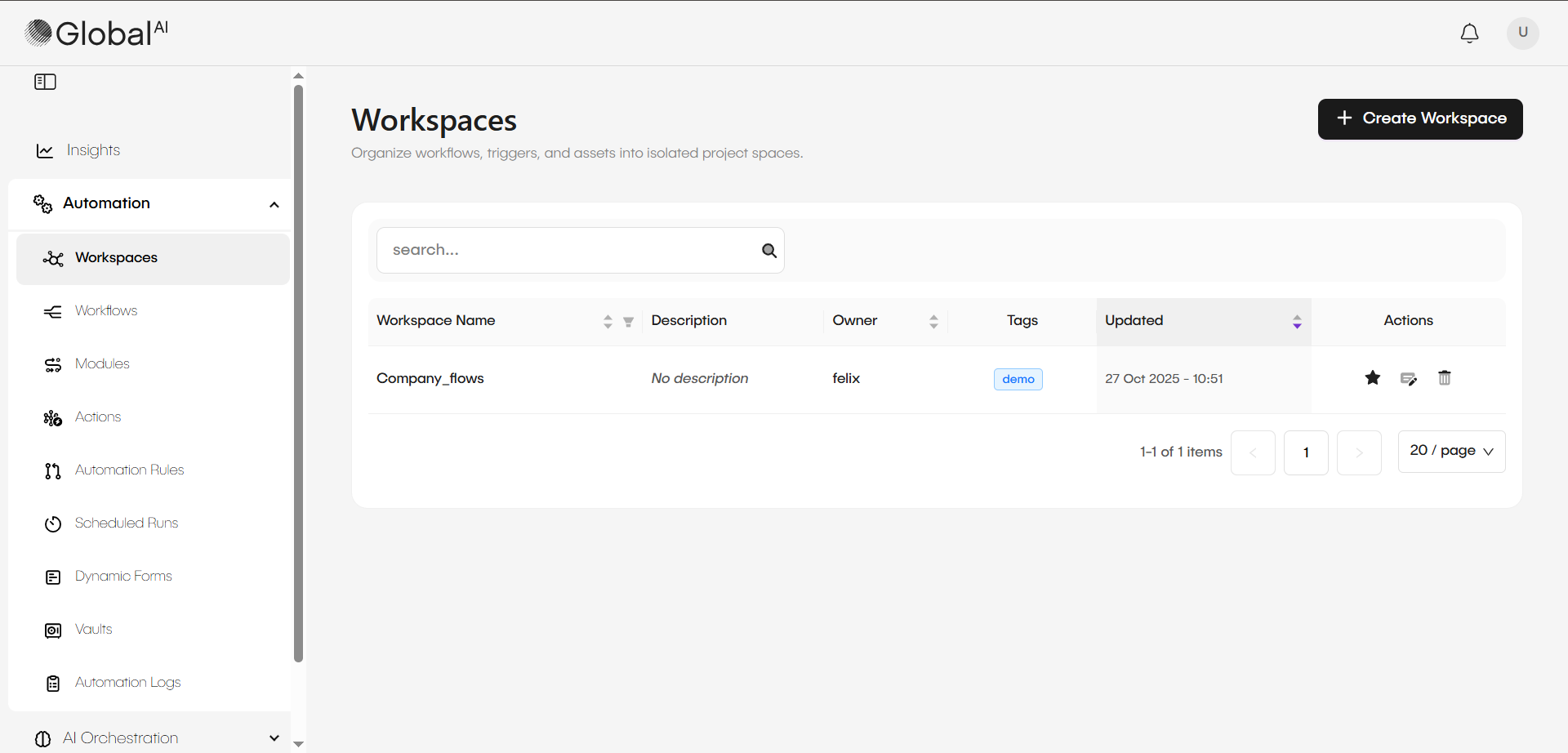
How Workspaces organize assets
Each Workspace is a self-contained environment that segregates all the automation assets you create within it. This structure simplifies resource management and helps prevent teams from accidentally viewing or modifying work belonging to other groups.
Assets segregated within a Workspace include:
- Workflows: Automated sequences of tasks designed for specific objectives.
- Modules: Reusable, non-standalone sub-workflows.
- Actions: Custom, reusable nodes for scripts or external connections.
- Automation Rules: Event listeners that trigger workflows.
- Schedules: Configurations for periodic workflow execution (cron jobs).
- Dynamic Forms: Interactive pages for capturing user input.
- Vault: A unique, secure storage for credentials and sensitive data.
User access and permissions
Workspaces are the core of the GlobalAI permission model. This structure ensures that users only interact with the resources relevant to their specific role or project.
| Role | Permissions |
|---|---|
| Global Admins | Can view and manage all Workspaces across the platform. |
| Standard Users | Can only see the Workspaces they have been explicitly invited to. |
Within a specific Workspace, administrators can grant users or roles different permissions for specific components. For example, you can control who has access to the Vault, who can create new Automation Rules, or who can manage Scheduled Runs. This provides granular control over your automation environment.
Workspaces also include advanced settings, which are disabled by default. These settings allow you to mark a workspace as prepaid for consumption-based billing. It tracks the total execution time of workflows in seconds. When the defined time runs out, the platform stops all executions in that workspace.
Related articles
Now that you understand what Workspaces are, you can learn about organizing and managing automation assets.
How to Create and Manage Workspaces
A guide on creating and managing workspaces for organizing your secrets and variables in the Vault.
Automation Logs (Concept)
Learn what is tracked, why auditing is important, and how these logs differ from execution history.
View Automation Logs
See how to access and read the Automation Logs to track workflow history and audit changes.